A downloadable asset pack

Get this asset pack and 1 more for $12.00 USD
View bundle
Buy Now
On Sale!
20% Off
$9.99 $7.99 USD or more

Core Positioning

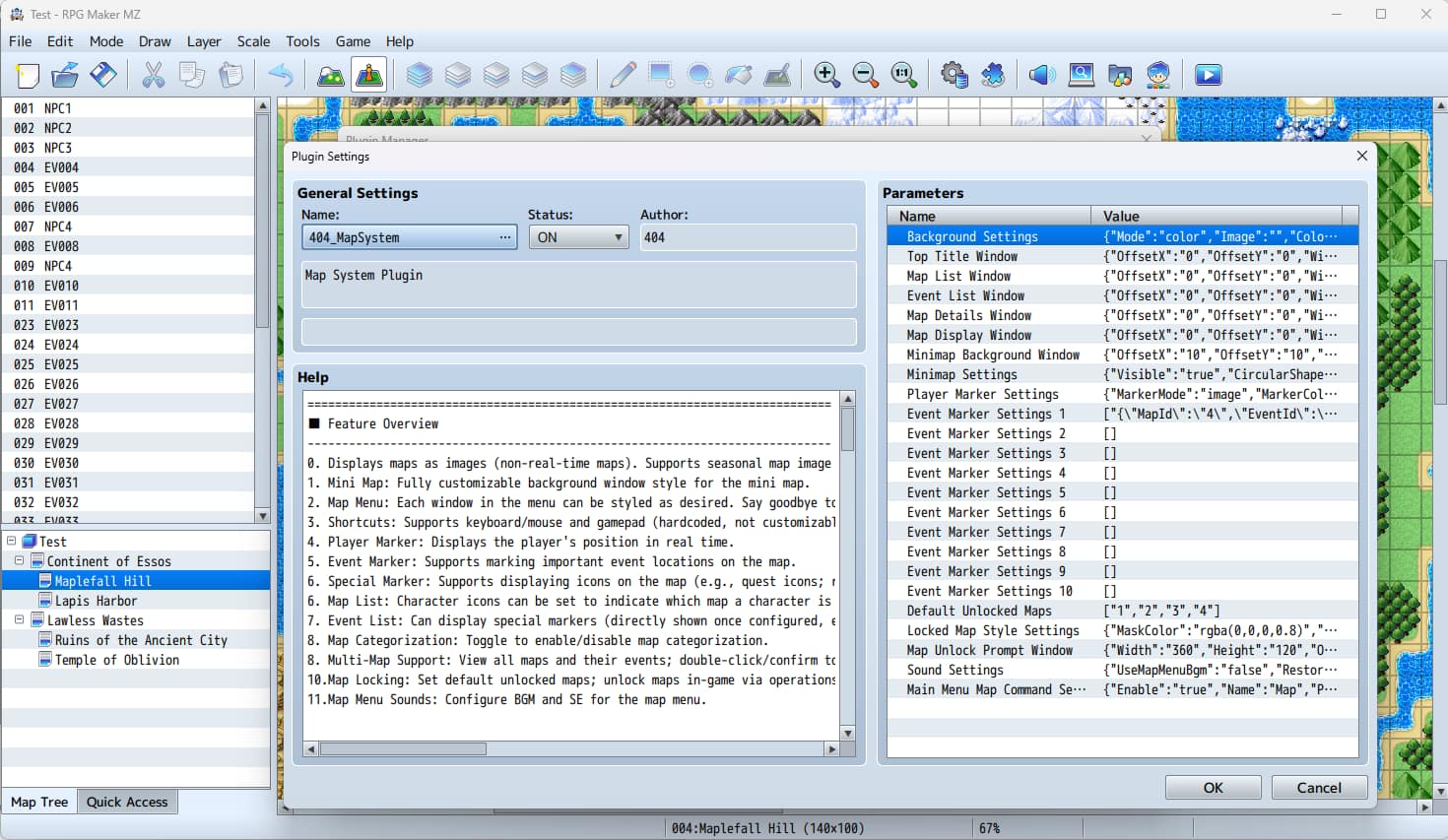
An advanced map system plugin specifically designed for RPG Maker MZ (only compatible with this version, not usable in other versions). It integrates a complete set of functions including "World Map + Mini Map + Event Markers + Special Markers (e.g., Quest Guidance) + One-Click Teleportation + Map Unlocking".

Core Functions of the Plugin

UI Homogeneity Issue: All windows and internal elements of the plugin are fully customizable, eliminating the monotonous appearance and creating a unique style for your game.

Players Getting Lost Frequently: The mini map and world map clearly show players "where they are".

Unclear Quest Objectives: Event markers, overhead icons, and event lists clearly guide players to "where to go and where the quest is".

Poor Presentation of Area Unlocking: The map unlocking system combined with pop-up notifications intuitively shows "New Area Unlocked".

Tedious Return/Teleportation: One-click teleportation to the vicinity of a specified event is available in the map menu (only for unlocked maps).

Additional Feature: If the game has a four-season time setting, it can automatically switch map images corresponding to the seasons (requires matching with the Time System Plugin, which is currently being optimized); all maps are in image format, not real-time scenes.

Fully Configurable UI Style

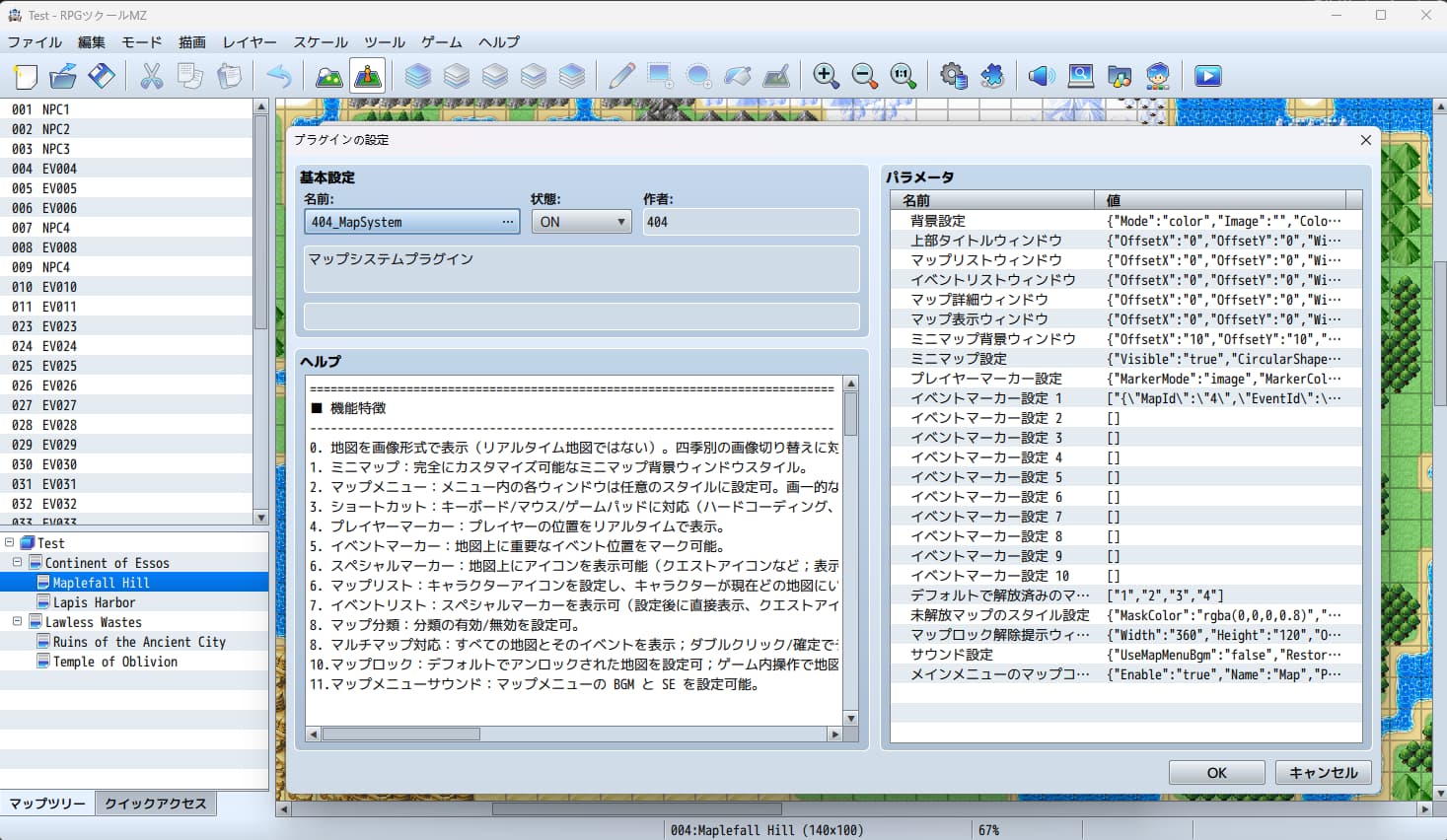
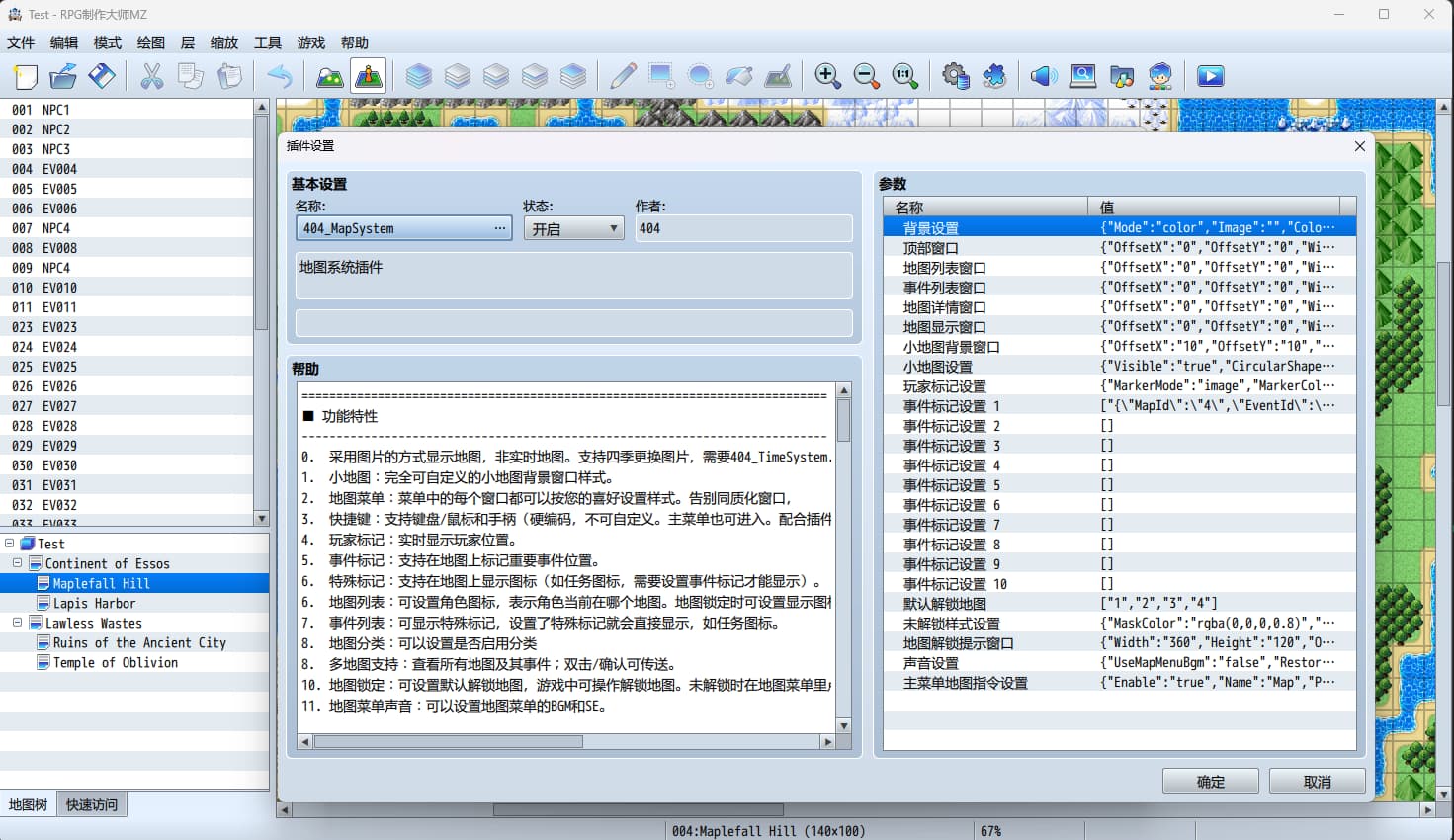
Nearly all interface elements can be adjusted for appearance and layout through plugin parameters, no additional development required:

  • Overall Background of the Map Menu: Supports 3 modes — in-game screen capture + semi-transparent overlay, custom background image, and solid color background.
  • Personalization of Independent Components (Top Title Bar, Map List, Event List, World Map Window, Mini Map Background Window):
    • Each has its own independent background mode, border style, and rounded corner settings.
    • Font, font size, and text color can be configured independently.
  • Details of List Items and Buttons:
    • Customizable line height and line spacing.
    • Selected state can be distinguished by background color or background image.
    • The text, icons, arrangement (horizontal/vertical), and offset position of buttons are adjustable.
As long as you have the corresponding UI images and fonts, you can easily make the entire map system fit your game style.

Map Menu Scene Functions

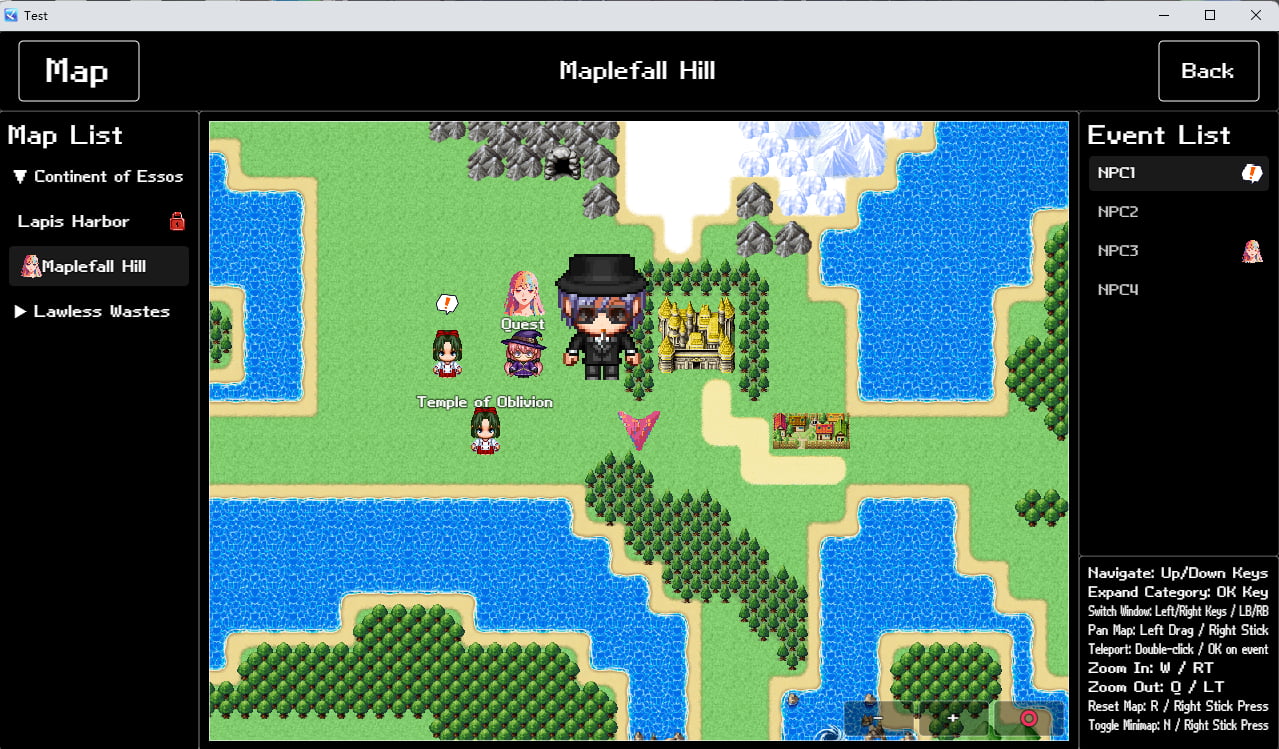
Players can open the "Map Menu" interface via keyboard shortcuts or the main menu. The interface layout includes:

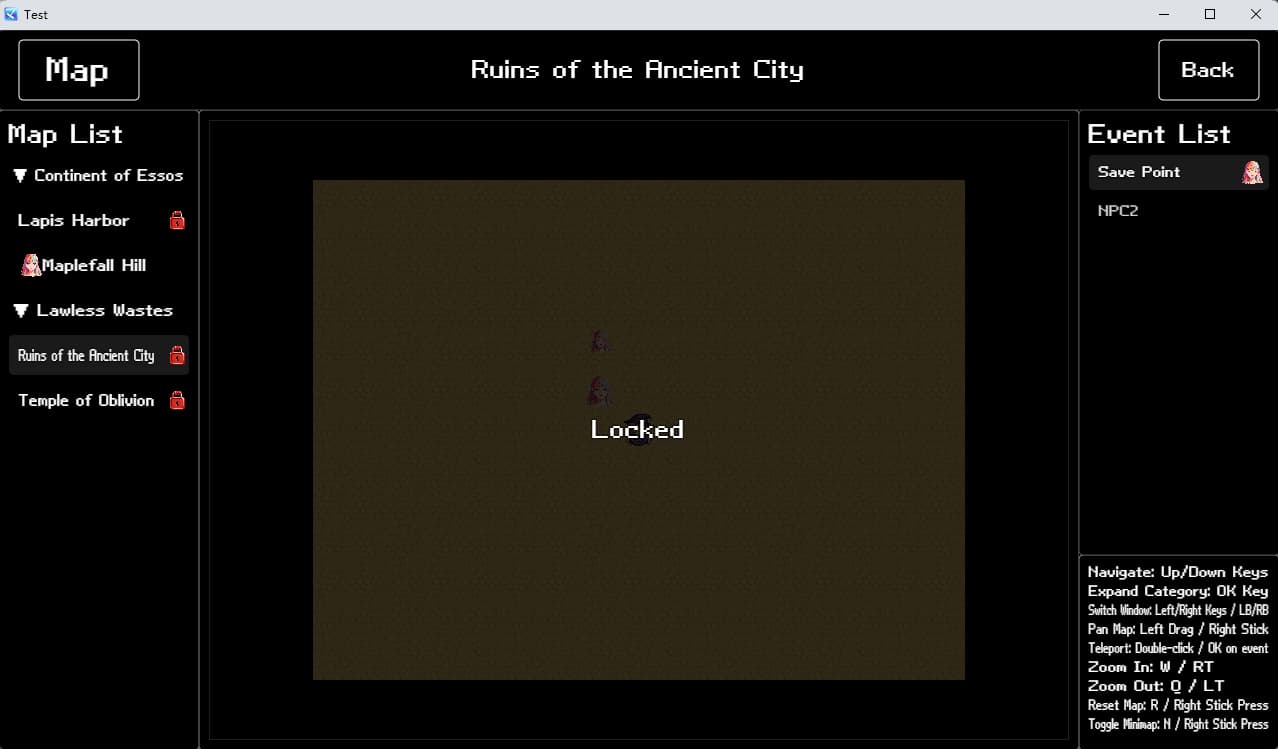
  • Left Side: Map List: Supports automatic grouping by parent-child maps (similar to a folder list), with expandable/collapsible sub-maps.
  • Middle: World Map: Supports zooming, view resetting, and mouse drag operations.
  • Right Side: Event List: Built-in filtering function, only displays events with event markers.
  • Top: Custom Title Bar: Includes menu title, automatically changing scene name, and back button.

Map List Support

  • Highlights the map where the player is currently located.
  • Locked maps display a "lock icon" and overlay effect.
  • Automatically generates "category items" based on parent maps, with expandable/collapsible sub-maps.
  • The unlocking status and zoom status of each map are automatically saved to the game file, and restored automatically after loading the file.

In-Scene Mini Map

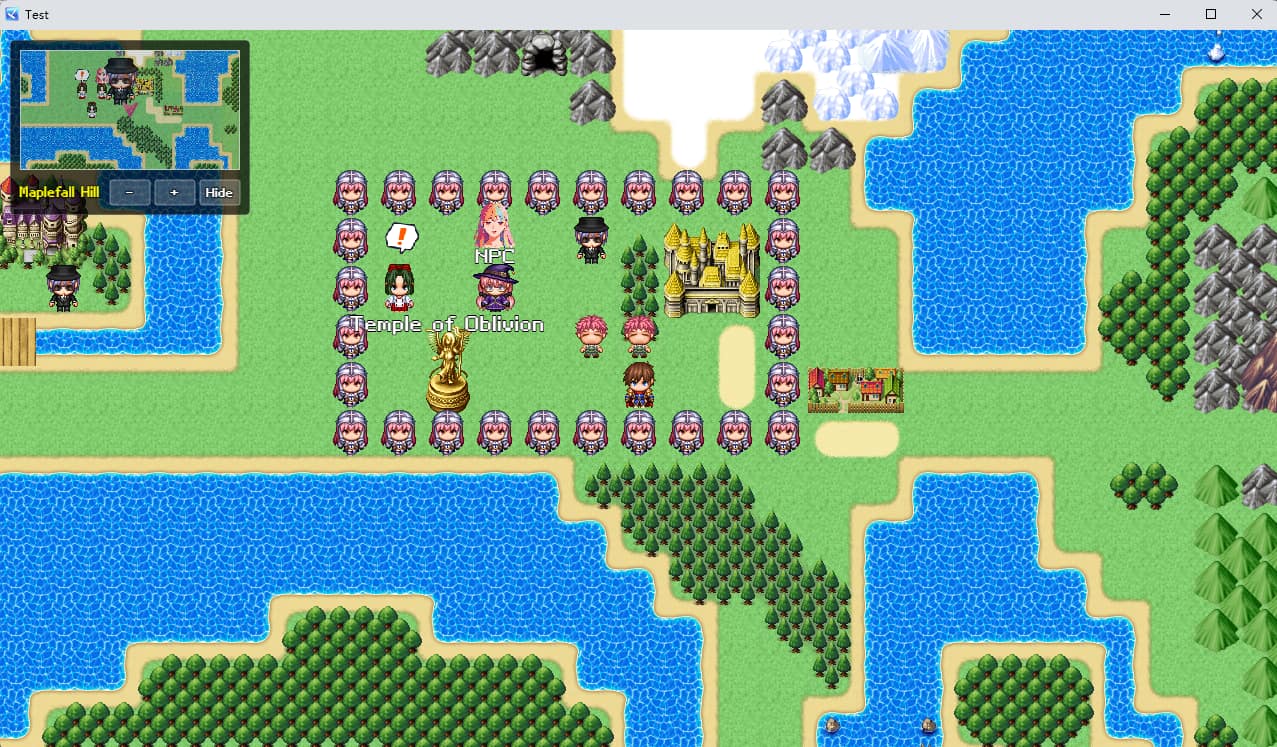
A configurable mini map is displayed in the map scene, with core functions including:

  • Shows the player's real-time position and event markers.
  • Supports 2 appearance styles (rectangular, circular), with customizable rounded corners, borders, and transparency.
  • The mini map has an outer background window that can display: current map name, zoom in/out, expand/collapse buttons.
  • The display status of the mini map is saved to the game file, and remains consistent after loading the file.
  • The mini map's display status (show/hide) and zoom level can be switched via keyboard shortcuts or buttons.

Event Markers and Special Markers

Markers and icons can be set for specific "maps + events", categorized as follows:

Event Markers

  • Only after setting an event marker for a "map + event" will the event be displayed on the world map, mini map, and event list; otherwise, it will be filtered out automatically.

Special Markers

  • Mainly used in conjunction with quest system plugins, supporting the setting of "image + text" combinations:
    • "Image + text" can be displayed on the world map and in-game scenes.
    • Only images are displayed on the mini map.
    • Only images are displayed in the event list.

One-Click Teleportation to the Vicinity of an Event

The teleportation process and rules are clear, ensuring safety and convenience:

  1. Operation Steps: Select the target map from the map list → Select the target event (e.g., quest destination) from the event list → Confirm/double-click to execute teleportation.
  1. Teleportation Position Logic:
  • Priority is given to teleporting the player to the grid directly below the event.
  • If the lower grid is unsuitable (out of bounds or occupied by another event), it will search the surrounding 8 directions in a certain order.
  • Ensures the player is not teleported directly to the "event's grid" or onto another event.
  • If there is no suitable position nearby, teleportation fails and a failure sound effect plays.
  1. Restrictions and Feedback:
  • If the target map is not unlocked, teleportation is blocked and a failure sound effect plays.
  • A success sound effect plays after successful teleportation, and the game automatically switches to the target map.

Map Unlocking System and Pop-Up Notifications

The plugin has a built-in complete "map unlocking" logic, with flexible operation and consistent experience:

  • Unlocking Methods: You can call a command in an event to unlock a single map; you can also set a "default unlocked map list" in the plugin parameters (visible at the start of a new game).
  • Unlocking Feedback: When a map is unlocked for the first time, it is automatically added to the unlock status table, and an unlock notification is pushed to the pop-up queue.
  • Pop-Up Display: In the in-game map scene, "map unlock pop-ups" are played one by one, and the pop-ups are fully customizable:
    • Size (width/height), position offset based on the center of the screen.
    • Background color/background image, rounded corner size, border color and thickness.
    • Slide-in direction (top/bottom/left/right), slide distance, animation duration.
    • Pop-up stay time.
    • Font and color of the map name text and "Unlocked" prompt text.
  • Save Synchronization: All map unlock statuses and unplayed pop-up queues are saved to the game file, and no data is lost after loading the file.

Keyboard and Controller Support

Keyboard and Mouse Operations

  • Open Map Menu: M Key / Start Key
  • Show/Hide Mini Map: R Key / N Key
  • Zoom In Map (for both World Map and Mini Map): Q Key
  • Zoom Out Map (for both World Map and Mini Map): W Key
  • Reset World Map View: R Key
  • Drag World Map View: Hold and drag with the mouse

Controller Operations

  • Open Map Menu: Start Button
  • Zoom In Map (for both World Map and Mini Map): LT Button
  • Zoom Out Map (for both World Map and Mini Map): RT Button
  • Reset World Map View: R3 Button
  • Drag World Map View: Drag with the right joystick
Supplementary Note: The input system plugin is currently being optimized, and custom key settings will be supported in the future.

Suitable Project Types

The following types of RPG Maker MZ projects are recommended to use this plugin, including but not limited to:

  • RPGs with "world map or large map" structures.
  • Narrative works with main quests/side quests that require clear navigation guidance.
  • Games with multiple regions, cities, and dungeons, where you want to reduce player confusion while retaining the sense of exploration.
  • Projects that often receive player questions such as "Where am I now?", "Where is the quest?", and "How to return to the city?".

License Description

  • After purchase, this plugin can be used in both commercial and non-commercial projects.
  • Reselling, repackaging for sale, or redistributing this plugin individually is prohibited.
Published 1 day ago
StatusReleased
CategoryAssets
AuthorLovingGame
TagsRPG Maker MZ

Purchase

Get this asset pack and 1 more for $12.00 USD
View bundle
Buy Now
On Sale!
20% Off
$9.99 $7.99 USD or more

In order to download this asset pack you must purchase it at or above the minimum price of $7.99 USD. You will get access to the following files:
404_MapSystem.js 439 kB

Leave a comment

Log in with itch.io to leave a comment.